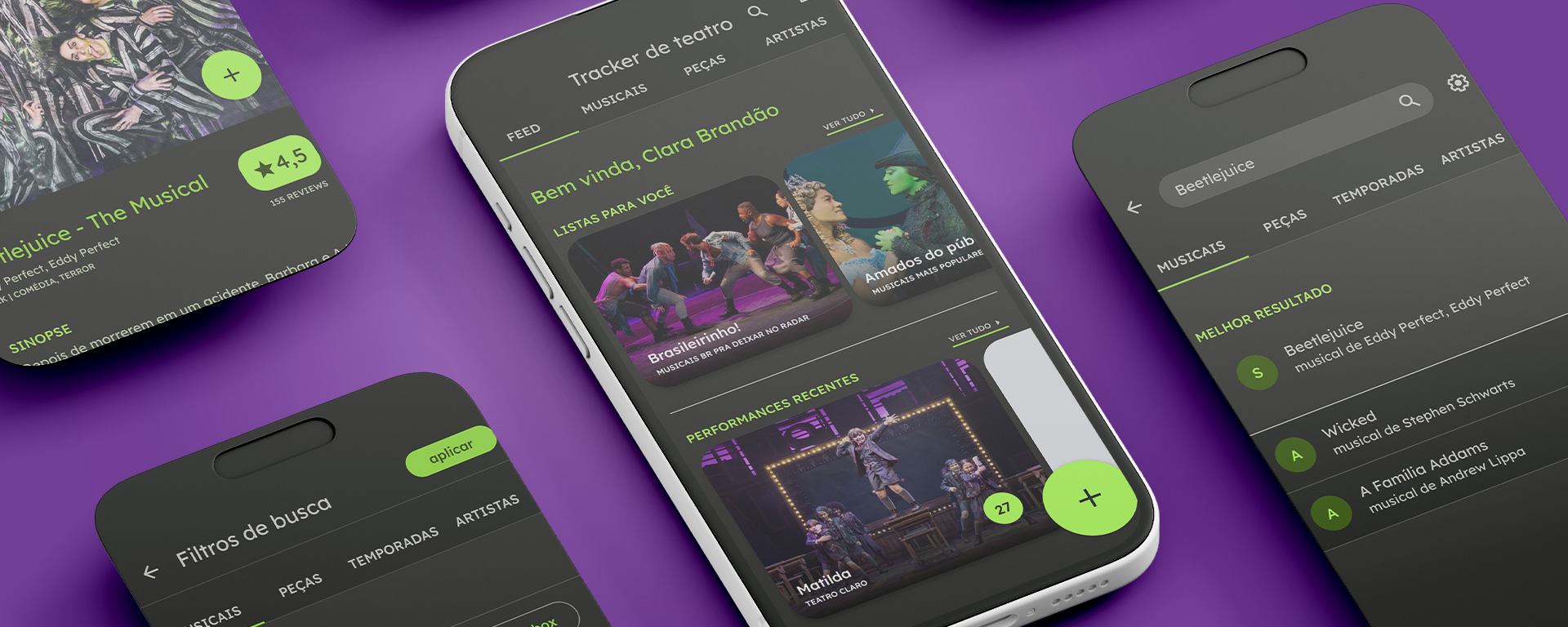
The problem
Brazilian musical theatre has no central record of who performed what, when, and with whom.
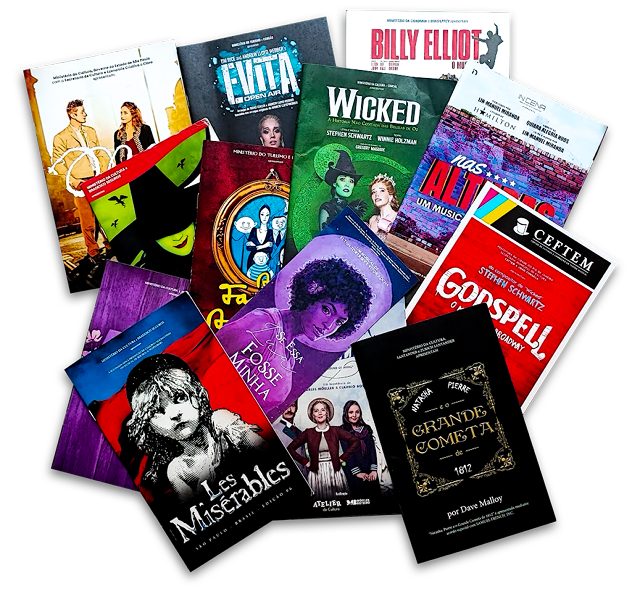
Every production is its own island: cast changes happen weekly, understudies go on without announcement, and printed programmes get thrown away. There is no formal system of categorization, no archival infrastructure, and no way for anyone to look up a complete production history.
This matters more than it might seem. Brazilian musical theatre has been reaching record box offices, but the market still lacks the institutional infrastructure of Broadway or the West End. In the absence of that structure, history disappears, and so does the cultural legitimacy that comes with it.
Research
I have been part of Brazilian musical theatre fan communities since 2017, and a working professional in the industry from 2021 onwards.
Being on both sides of that line gave me a head start on the problem space: I knew what it felt like to be a fan trying to track down cast information, and I also knew what it looked like from inside a production. The interviews helped me understand how that experience generalized across people who were not me.
I conducted interviews with 14 people across three distinct user groups:
- Fans: passionate followers of specific shows, actors, or creative teams who track performances obsessively and hate missing cast changes.
- Communicators: critics, bloggers, and social media accounts who cover the scene and need accurate, up-to-date production data to do their jobs.
- Artists: working performers and creatives with no central place to document their own career history in a format others can find and verify.
Each group had completely different goals, and they were all hitting the same wall: information about theatre lives on social media, evaporates quickly, and was never designed to be searched or archived.
Fan
I always like to go see for myself, even with my online friends talking up or talking down a show. But afterwards I always comment online with everyone.
Communicator
What I did together with my friends was a really cool movement of promotion and fan engagement, and then I thought ‘man, this has to keep going, and it has to keep going for other musicals.’
Artist
If my Drive could talk it would be begging for mercy, because I throw everything in there. There are the little bootleg videos that are sometimes good enough quality to save and use as an archive.
Key research insight
All three groups were running workarounds. Manuela goes to every show she can and forms her own opinions first, but the conversation always ends up happening online. Luci's Drive is functioning as an informal archive, patched together from bootleg videos and screenshots before they disappear. Communicators like Priscilla were already building their own engagement movements and knew they could not be the only ones doing it. The data and the passion both existed. They just had nowhere to live together.
The information architecture challenge
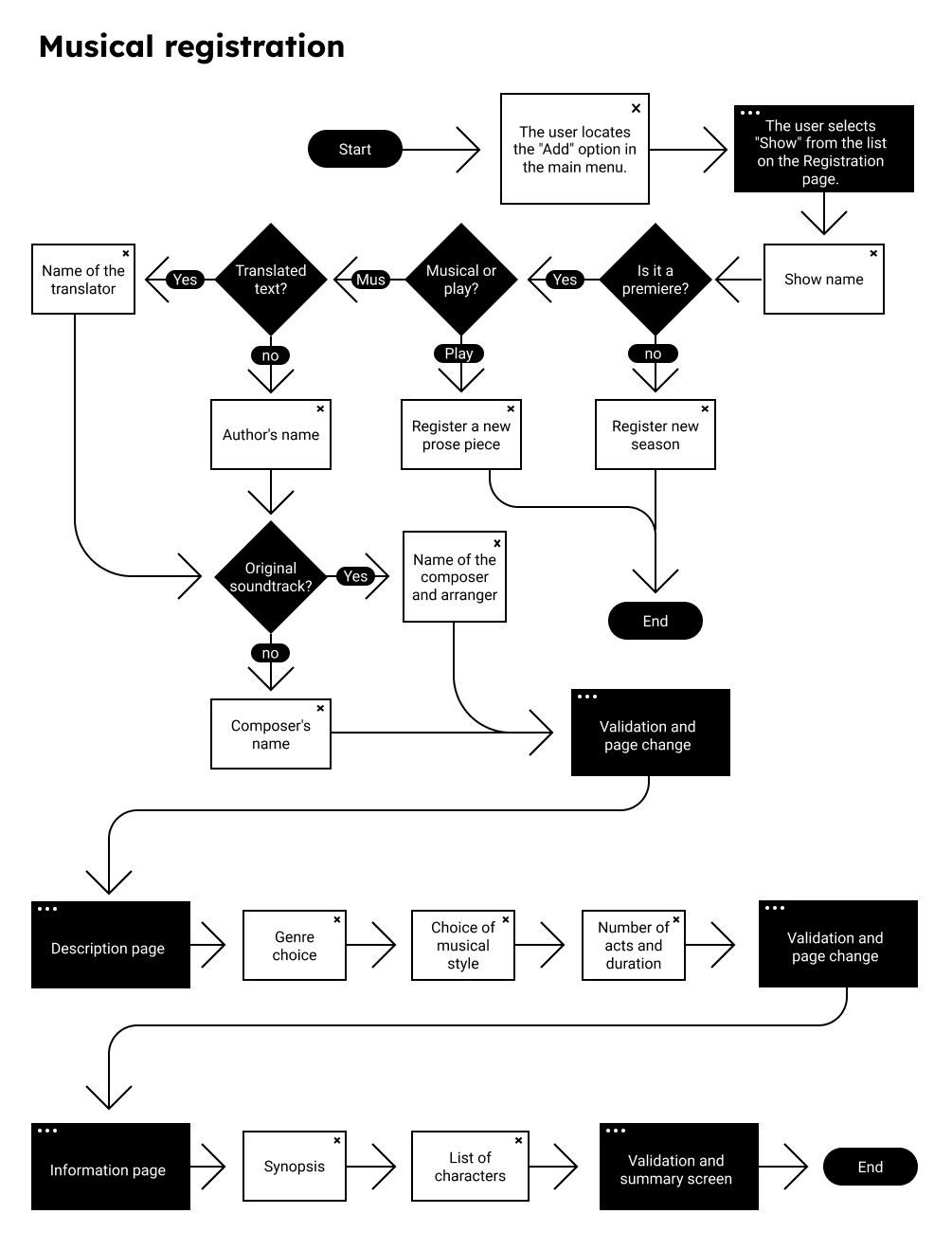
Theatre data has a natural hierarchy that most databases ignore.
Shows → Productions → Runs → Performances → Cast per performance
That level of granularity is what makes the tool genuinely useful to fans and historians. Exposing the full hierarchy right away, though, creates an overwhelming experience for more casual visitors. The core tension was depth versus discoverability.
I explored three IA models before settling on a show-first entry point with progressive drill-down. Casual users can find what they need at the show level. Power users, like the communicators and obsessive fans, can navigate all the way down to individual performance records, including cast changes and substitutions by date.
INFORMATION ARCHITECTURE
Genre, characters, debut year, synopses
Theatres, cities, castings, opening dates
Day, time, cast changes
Key design decisions
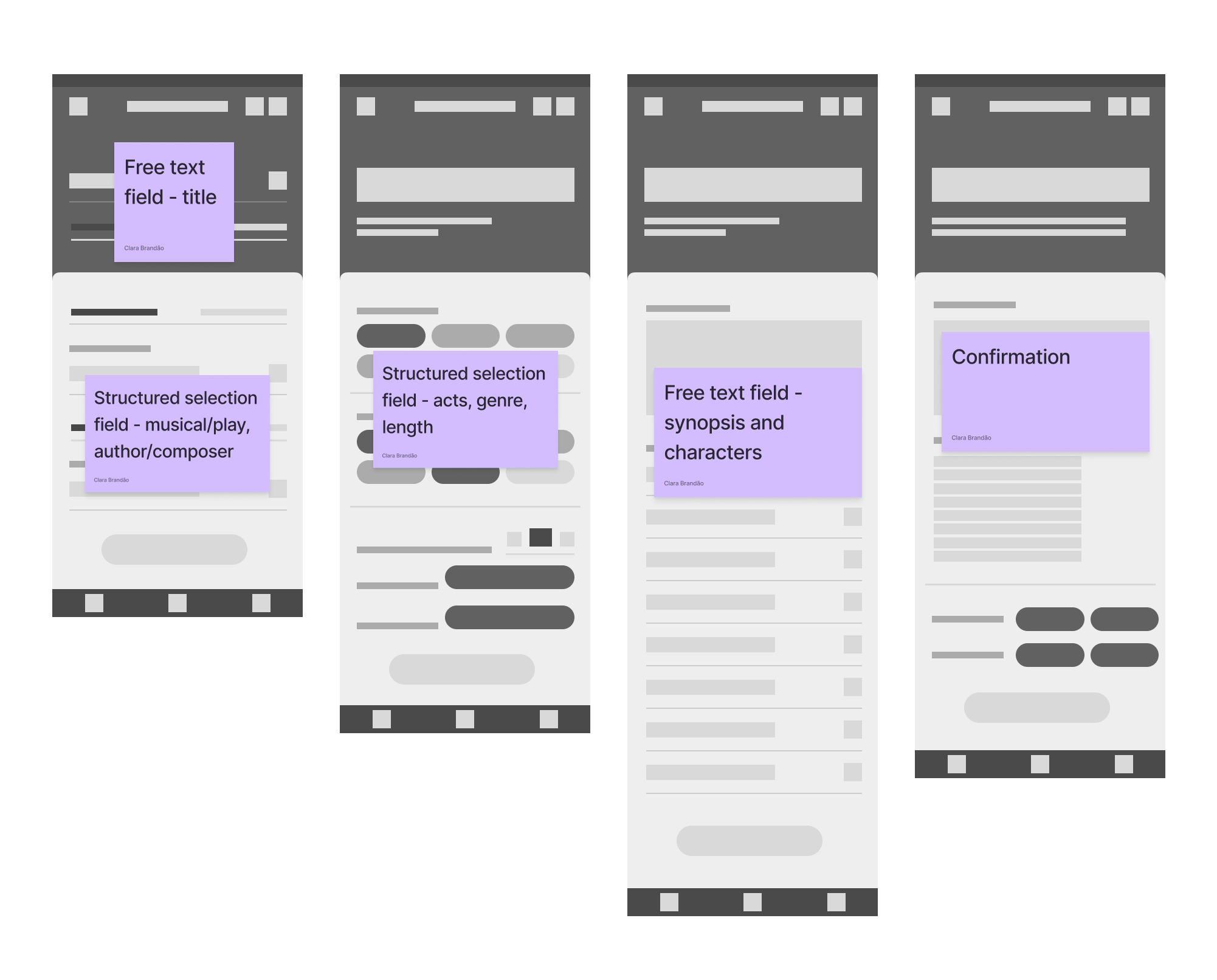
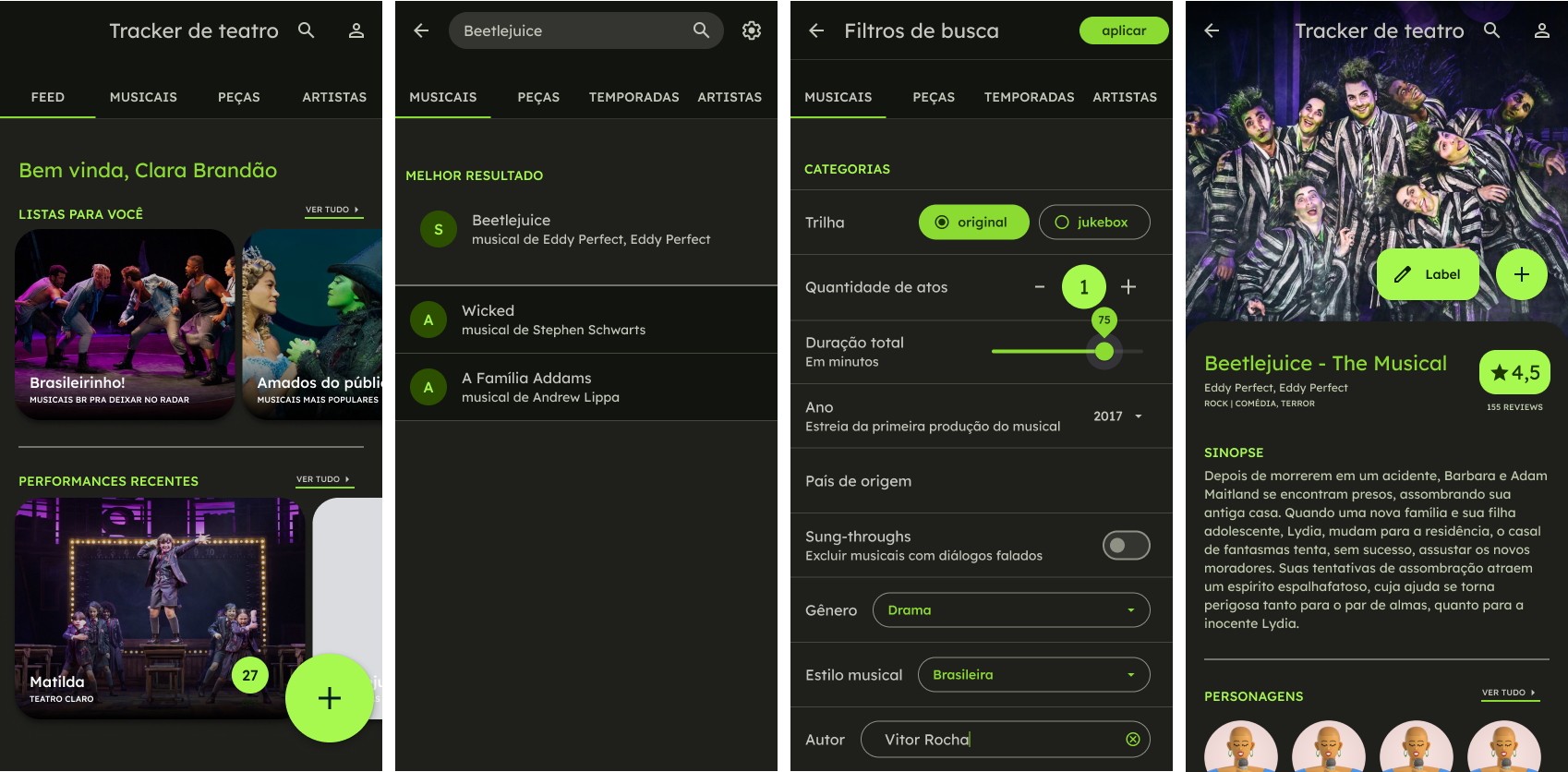
01 · Structured contribution form
Decision: A form with constrained fields (role dropdowns, date pickers, production lookups) plus a free-text notes field for anything that doesn't fit.
Why: Open text would make the data impossible to search or compare across productions.
02 · Browse first, search second
Decision: The homepage shows a browsable list of shows organized by city, date, or category rather than leading with a search bar.
Why: Early testing showed that users who didn't know a show's exact title got stuck with search immediately.
03 · Performances as the core record
Decision: Each individual performance has its own record: date, venue, and full cast. Cast changes, substitutions, and one-night-only moments are all captured and searchable.
Why: What sets theatre apart from other art forms is that it constantly changes.
Usability testing
I ran usability tests with participants from each user group, asking them to complete tasks that matched their real-world goals.
- Find who performed the lead role in a specific show on a specific night
- Log a performance you attended and add a cast substitution
- Look up a performer's full credit history across multiple productions
- Submit a new production that is not in the database yet
Key findings
- The browse-first entry point worked. Users who did not know the exact show name could still find it, and users who did were not slowed down.
- Structured contribution felt trustworthy. Participants said the form felt more official than submitting to a wiki, which made them more confident their contribution would be accurate and preserved.
- The performance-level record was the "aha" moment. Fan participants consistently reacted with recognition when they saw they could drill down to individual nights. Several said "this is exactly what I have been trying to do in a spreadsheet."
Outcome
Theatre Tracker received the top grade from the evaluation committee at UERJ in December 2023.
The outcome I am most proud of, though, is that it did not stay academic: a development team picked it up and is currently working toward a public release. Real engineers looked at this and decided it was worth building, and that is a different kind of validation than a grade.
The project also surfaced something I did not expect: working artists were the most emotionally invested user group. For performers who spend years in ensemble roles or as understudies, work that often goes entirely unrecorded, a database that preserves their contribution history is meaningful in a way that goes beyond utility.
What I'd do differently
Some projects outgrow their original scope
Theatre Tracker ended up being more than a thesis project. Working through it made me realize how much I wanted to keep exploring the intersection of design and cultural data systems, and it was a big part of what motivated me to apply to Parsons.
Cultural data systems deserve real infrastructure
I'm currently pursuing my MFA in Design and Technology at Parsons, and some of my graduate work builds directly on what this project started: looking at how UX design can help preserve and make sense of live performance data in a field that has never really had the infrastructure for it.